
See It in Action
Real screenshots of DecisionLedger's MCP tools running inside Claude - creating decisions, running models, and managing governance through natural conversation.
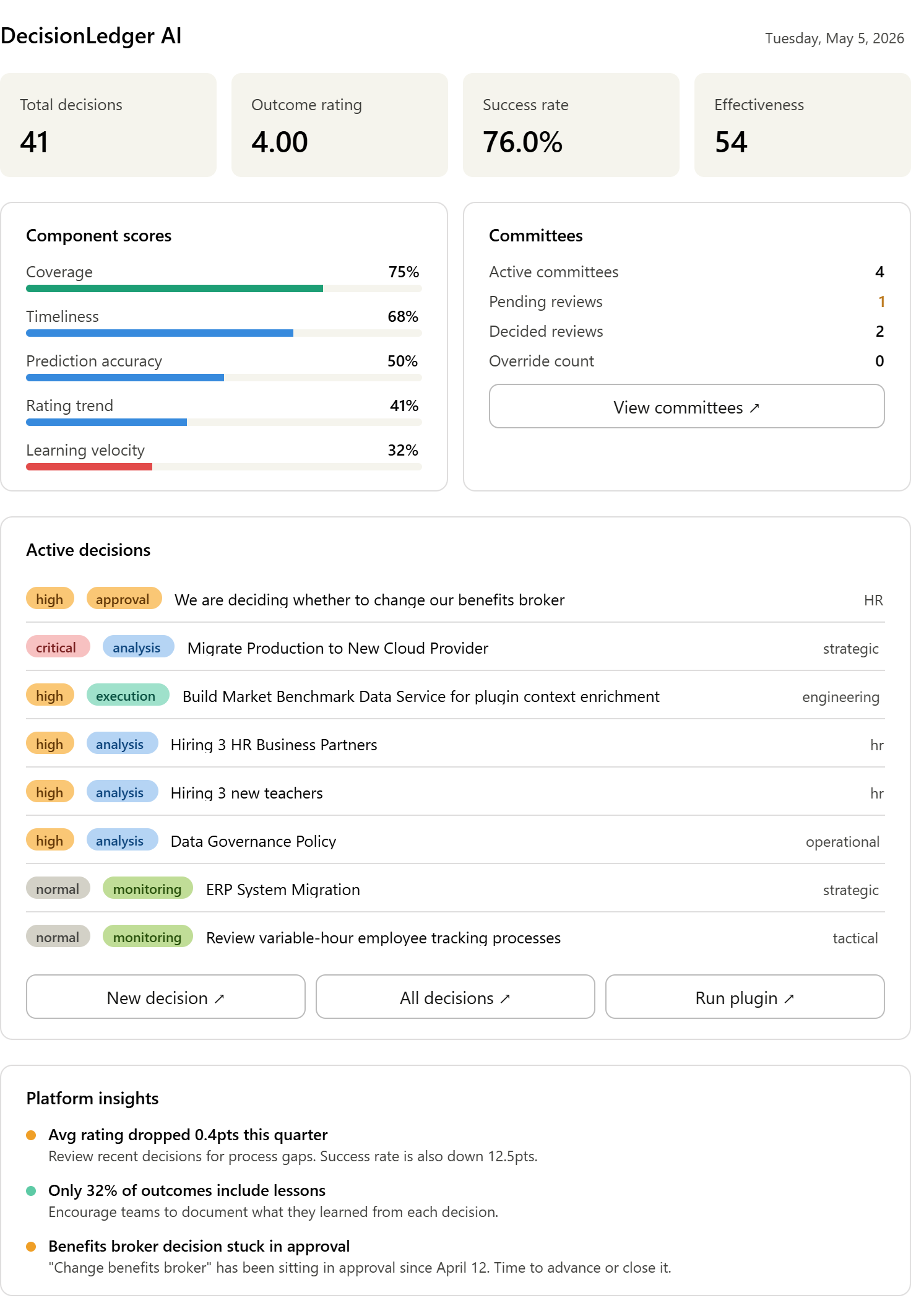
DecisionLedger AI Dashboard
The MCP tools overview in Claude showing available decision intelligence capabilities - from plugin execution to governance workflows, all accessible via natural language.
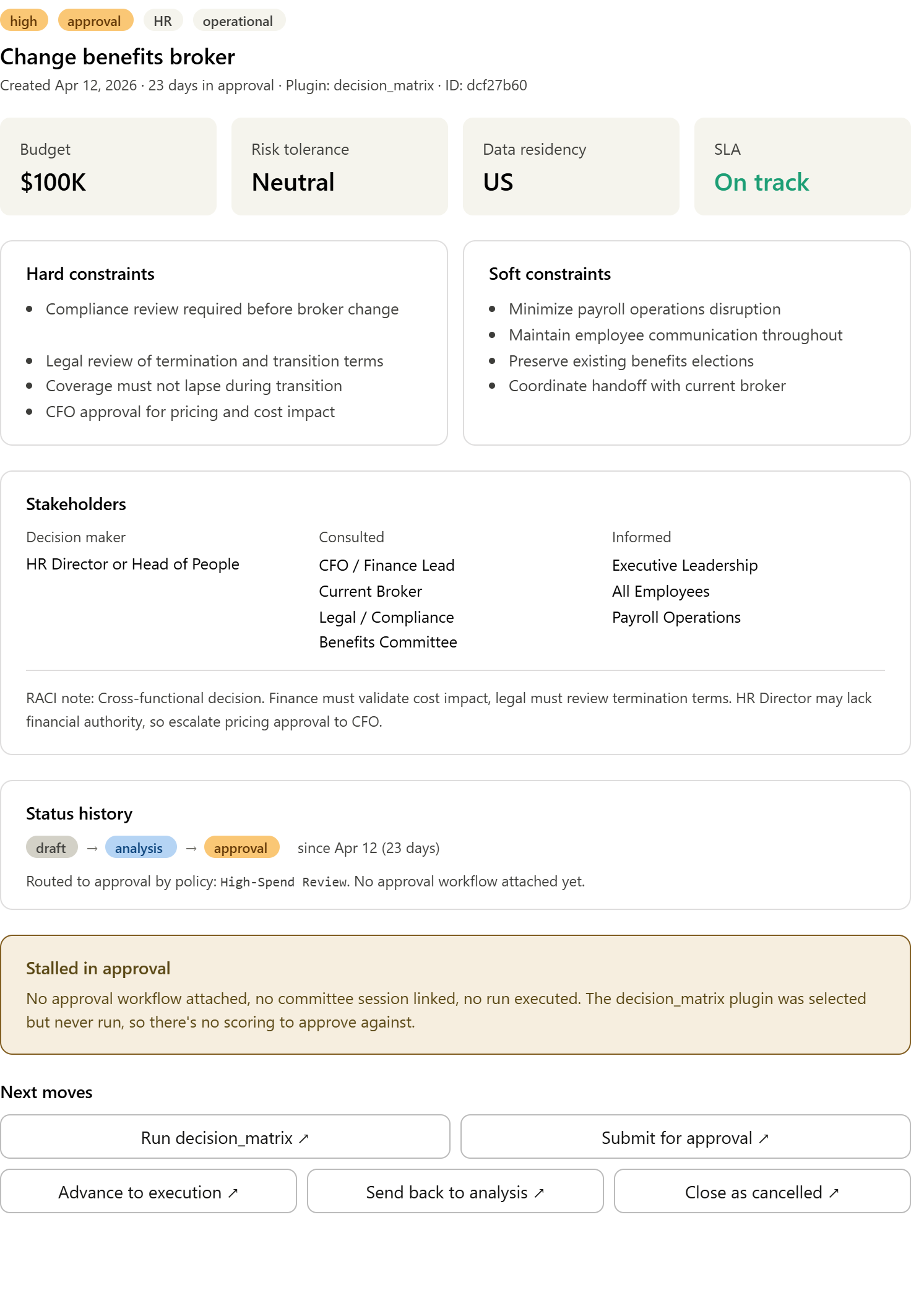
Decision Detail via MCP
Retrieving full decision details including status, linked model runs, and lifecycle history - all returned as structured data through the MCP protocol.
Available MCP Tools
Every governance capability is exposed as an MCP tool. AI agents discover, call, and compose these tools to execute complex decision workflows autonomously.
Decisions
Create, search, and advance decisions through their full lifecycle - from draft to closed - with reasoning and linked evidence at every stage.
Plugins & Models
Browse 525 analytical models, retrieve their input schemas, and execute them with structured inputs. Risk matrices, Monte Carlo, cost-benefit, and more.
Governance
Request permission before high-impact actions, enforce governance gates, and detect contradictions or duplicate decisions across the organization.
Committees
Create review committees, manage membership, submit votes, resolve sessions, and generate AI-powered meeting minutes - all from chat.
Approvals
Submit approval requests, list pending items, approve or reject with comments, and escalate when needed. Full workflow management via natural language.
Outcomes
Record what actually happened after a decision was implemented - effectiveness ratings, lessons learned, and quantitative metrics that close the feedback loop.
Scenarios
List, retrieve, and link scenarios to decisions. Compare what-if analyses side by side and attach model runs as supporting evidence.
Graph Intelligence
Explore decision relationships, find similar past decisions via embeddings, detect contradictions, and visualize upstream causes and downstream impacts.
How It Works
Three steps from zero to AI-powered decision intelligence.
Connect MCP Server
Add DecisionLedger as an MCP server in your AI client's configuration. Claude Desktop, Cursor, Windsurf, and any MCP-compatible client will discover all tools automatically.
Use Natural Language
Ask your AI assistant to create decisions, run models, check approvals, or analyze outcomes. The agent maps your intent to the right MCP tool calls.
Get Structured Results
Every tool call returns structured, auditable data - scored model outputs, lifecycle state changes, committee votes, and outcome metrics - all logged and governed.
Use Cases
Practical examples of how teams use MCP tools to bring decision intelligence into their daily AI workflows.
Run a Model from Claude Code
Ask Claude to run an attrition risk model on your team data. It discovers the plugin, retrieves the schema, executes the model, and explains the results - all in one conversation.
Track Decisions Conversationally
Create a decision record, advance it through evaluation stages, link supporting model runs, and close it with an outcome - without leaving your AI chat.
Governance Dashboards in Chat
Ask for pending approvals, SLA-breached decisions, or committee activity summaries. Get real-time governance insights delivered as structured responses.
Committee Voting via AI
Submit votes on committee review sessions, provide rationale, and resolve sessions - enabling asynchronous governance workflows through your preferred AI tool.